Spento
Truly understands natural language

Speak naturally.Spento records it.

Say an expense the way you naturally would. It is recorded in seconds.

Spento understands the amount, category, date, and currency. No forms to fill in and no tedious data entry.

Simple at the moment you spend

Every expense, clearly visible.

Each sentence becomes clear data. Instantly see what you spent, how much, when, and in which category.

  • See your spending patterns at a glance
  • Know exactly which category drains your wallet
  • Track multiple currencies seamlessly
  • Export your data anytime

Automatic organization, your rules

Spento sorts. You stay in control.

The AI recognizes the right category and wallet from a natural sentence. Then adapt everything to the way you manage money.

Categories that fit you

10 by default

Rename them, change their icon, color and AI hint, or disable the ones you do not use.

Automatic categorizationTaxi for work, €20
DetectedTransport · Business
Groceries
Transport
Dining
Utilities
Entertainment
+5

+ Up to 4 custom categories

Your money, separated

3 wallets maximum

Personal is always available. Add up to two optional wallets and name them Business, Couple, Donations, Project…

PersonalDefault
340$
remaining660 $340 / 1000 $
A clear monthly goal

Set a spending limit for each wallet, see what remains and save more month after month.

Everything stays in sync

1 account · 4 platforms

Add or edit an expense on one device. It appears automatically everywhere else.

macOSWindowsiOSAndroid
Up to date everywhere
iOS & Android widgets

Your goals at a glance

Follow one wallet directly from your Home Screen. The large preview uses the actual Spento widget design and colors; the phone shows where it lives.

Personal
340$
660 / 1000

This month

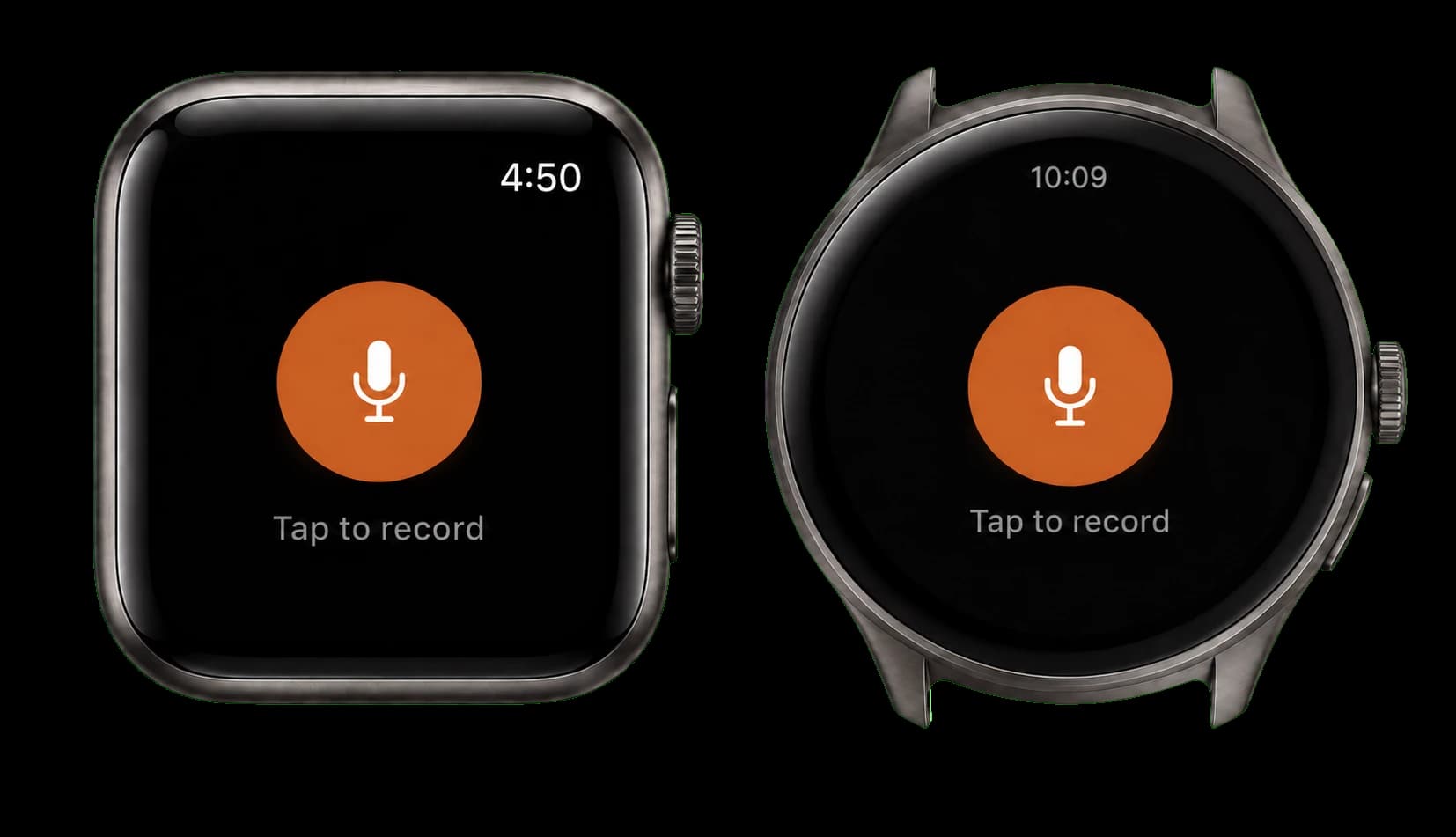
Apple Watch + Wear OS

Expenses from your wrist

Start recording in one tap, speak, then confirm your expense without opening your phone.

Spento voice recording screens on Apple Watch and Wear OS
Apple WatchWear OS

Expenses that come back

Weekly to yearly

Prepare rent, subscriptions and bills once. When they are due, confirm, skip or stop them.

Streaming subscriptionMonthly · Next 12
14,99 $
RentMonthly · Next 01
850 $

Debts, remembered

Optional

Note the amount, person and due date. Spento keeps it visible until you mark it settled.

SamirRepayment

Due Sep 18

50 $
Mark as settled

1 account · 4 platforms

Your expenses, everywhere. Always up to date.

Spento is cross-platform: Mac, Windows, iOS, and Android all work with the same account. Everything syncs automatically and continuously through the cloud.

Add an expense on your phone and find it instantly on your computer — together with your categories, wallets, and settings.

Questions you might have

Is it really that easy?+

Yes. Open app, tap mic, say what you spent in natural language. That's it. No categories to pick, no forms to fill.

What languages does it understand?+

English, French, German, Spanish, Italian, and more. Mix languages in the same sentence if you want. It'll figure it out.

What about my privacy?+

Your expenses sync securely with your account. Audio is sent for transcription and processed temporarily: Spento does not keep the recording.

Do I need internet?+

Voice transcription requires a connection. Offline, you can still review your data and add an expense manually; syncing resumes afterward.

What is included for free?+

Manual expense entry and syncing across your devices are free. Voice entry with AI transcription is included during the 7-day free trial, then requires Spento Premium.

An expense to record? Say it.

Tap the microphone, speak naturally, and let Spento record the rest.

Available on Mac, Windows, iOS, and Android.